Portfolio Loading and Modelling
Last updated: 2026-03-10
The Portfolio Loading and Modelling panel lets advisers and portfolio managers model proposed changes before committing to any trade. It is always visible on the left side of MantaWealth — load a portfolio, adjust positions, and watch every analytical tab update in real time. Adjusting a quantity or adding a new instrument immediately recalculates diversification, risk metrics, performance attribution, and rebalancing results across all tabs, supporting better pre-trade decision making and more confident client conversations.
Portfolio Selector
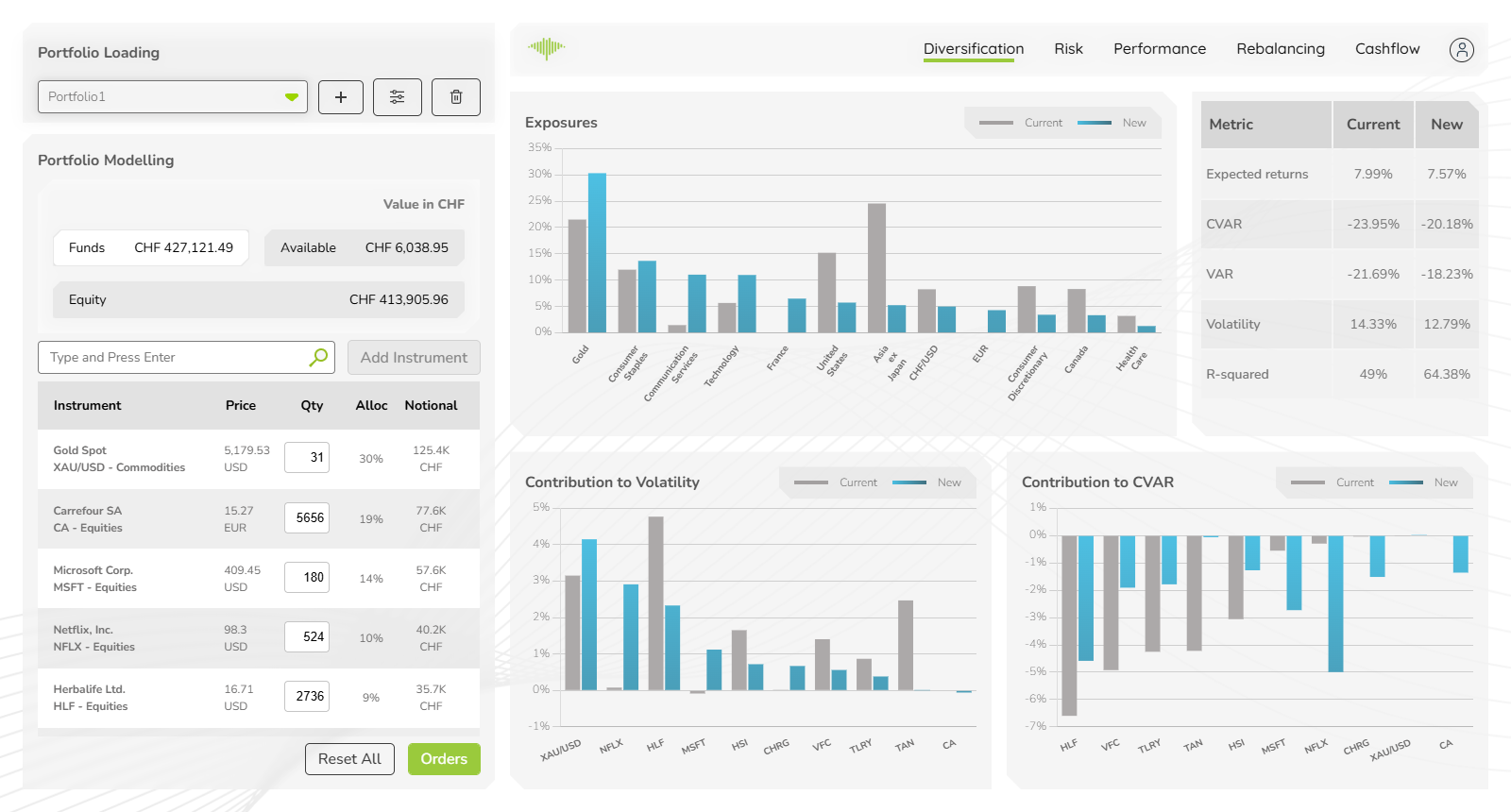
The top of the panel contains the portfolio selector dropdown. Click it to switch between any portfolio available in your account. Three action buttons sit beside it:
- + — create a new portfolio
- Filter icon — apply filters to narrow the holdings view
- Delete icon — remove the currently selected portfolio
Capital Summary
Below the selector, three headline values show the portfolio's current capital breakdown, all denominated in CHF:
| Field | Description |
|---|---|
| Funds | Total capital in the portfolio |
| Available | Uninvested cash available for deployment |
| Equity | Current market value of all held positions |
Instrument Search
Use the Type and Press Enter search bar to find and add instruments. Once you select an instrument from the results, it is added to the holdings table immediately and all analytical tabs recalculate.
Click Add Instrument to add after typing.
Holdings Table
Each row in the holdings table represents one position:
| Column | Description |
|---|---|
| Instrument | Name, ticker, and asset class (e.g. MSFT – Equities) |
| Price | Last traded price in the instrument's native currency |
| Qty | Number of units held |
| Alloc % | Percentage of total portfolio value |
| Notional | Position value converted to CHF |
Each row also provides three controls:
- MAX — set this position to the maximum allowed allocation
- Refresh icon — reset the quantity to its original loaded value
- Delete icon — remove the instrument from the modelled portfolio
Reset All and Orders
At the bottom of the panel:
- Reset All — reverts all modelled changes and restores the portfolio to its originally loaded state
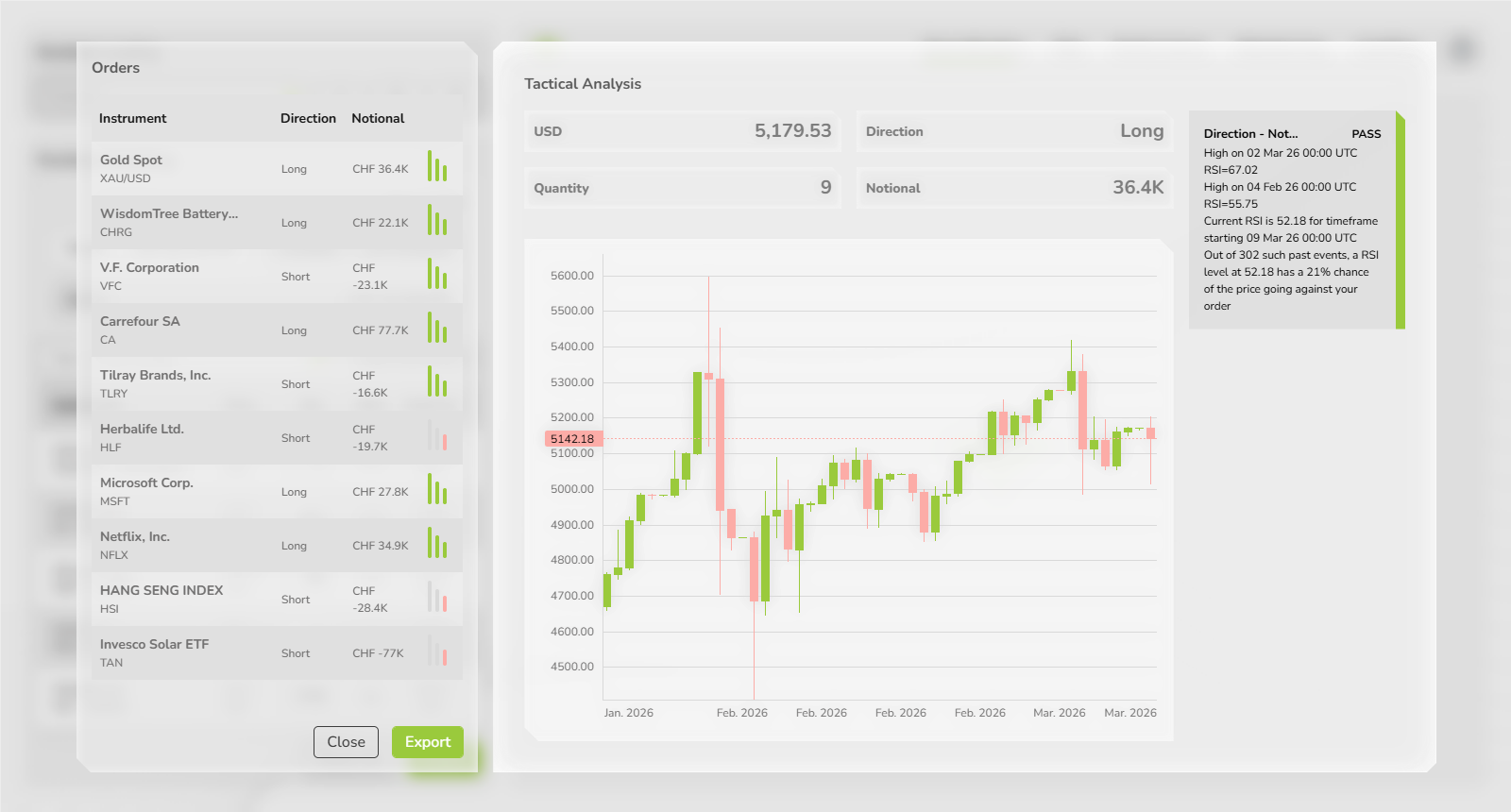
- Orders — opens the Orders panel, which shows the list of buy/sell orders required to transition from the current portfolio to the modelled portfolio