Rebalancing
Last updated: 2026-03-10
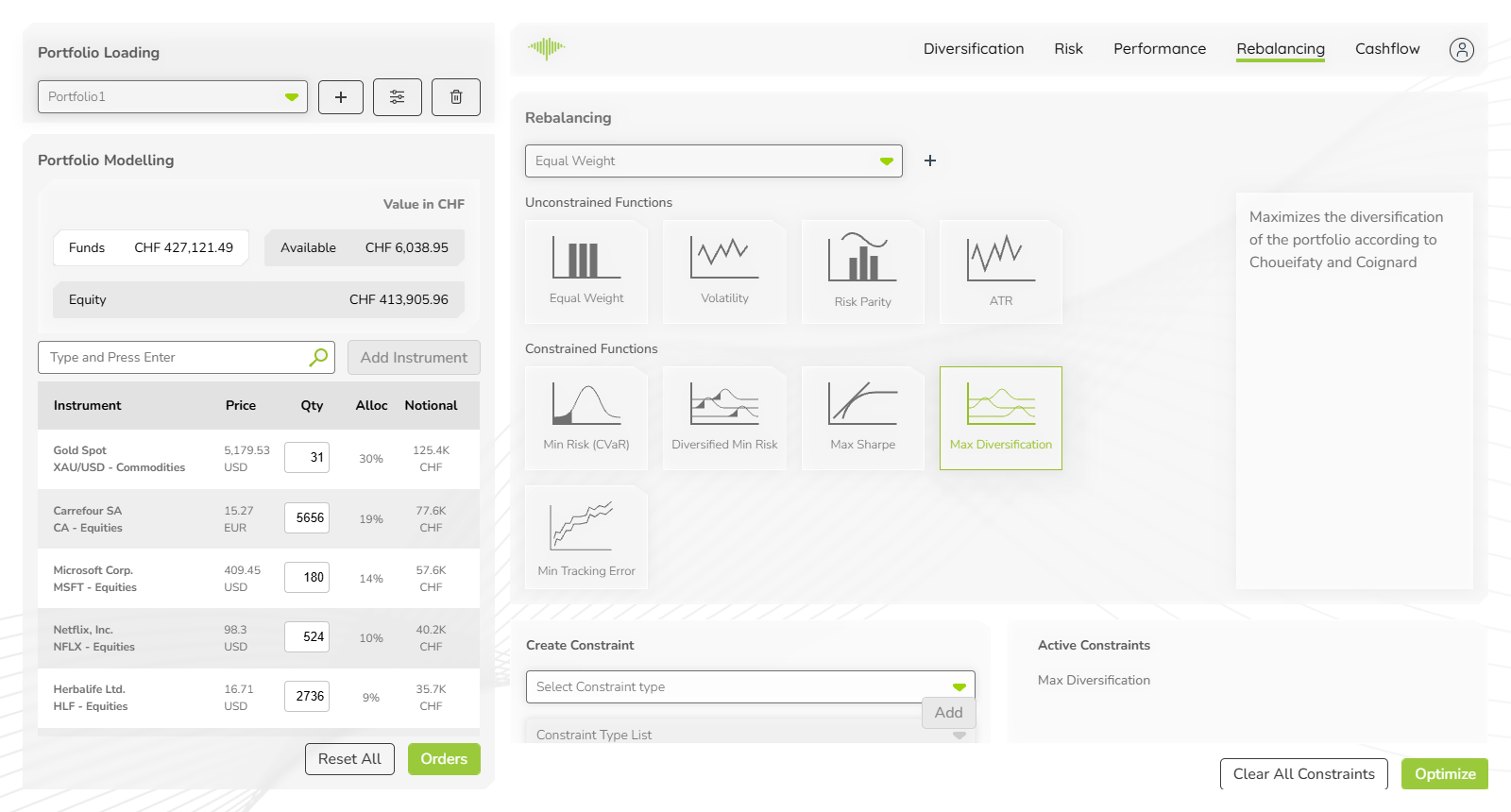
The Rebalancing tab brings institutional-quality portfolio construction tools directly to relationship managers and investment advisers. Rather than manually iterating on allocations, advisers can define a client's mandate — for example, Max Sharpe with no single position above 20% and no asset class above 40% — and generate the optimal portfolio in one click. Multiple strategies can be saved for different client risk profiles, making it efficient to service clients with varying mandates from the same interface. Select an optimisation strategy, optionally apply constraints, and click Optimize to generate the optimal portfolio weights.
Strategy Selector
At the top of the tab, a dropdown lets you select or switch between saved strategies. The + button creates a new strategy. Each strategy stores a combination of selected optimisation function and active constraints, so different client mandates can be saved and reapplied.
Unconstrained Functions
The unconstrained optimisation functions find the optimal portfolio weights with no bounds other than full investment (weights sum to 100%). Four methods are available:
| Function | Description |
|---|---|
| Equal Weight | Assigns an equal weight to every instrument in the portfolio |
| Volatility | Minimises total portfolio volatility (minimum variance) |
| Risk Parity | Allocates weights so each instrument contributes equally to total portfolio risk |
| ATR | Uses Average True Range to weight instruments inversely proportional to their recent volatility |
Constrained Functions
The constrained optimisation functions accept user-defined bounds while solving for a specific objective. Five methods are available:
| Function | Description |
|---|---|
| Min Risk (CVaR) | Minimises Conditional Value at Risk — the expected loss in worst-case tail scenarios |
| Diversified Min Risk | Minimises risk while maximising diversification |
| Max Sharpe | Maximises the Sharpe Ratio — the return per unit of risk |
| Max Diversification | Maximises the diversification ratio according to Choueifaty and Coignard (2008) |
| Min Tracking Error | Minimises deviation from a benchmark index |
Click any function icon to select it. The selected function is highlighted with a green border.
Create Constraint
Use the Create Constraint panel to set bounds on the optimisation:
- Select Constraint type — choose the dimension to constrain (e.g. instrument weight, asset class weight, geography weight)
- Constraint Type List — select the specific instrument or category to apply the bound to
- Lower bound % and Upper bound % — set the minimum and maximum allowed weight
- Click Add to apply the constraint
Example: to prevent any single equity from exceeding 15% of the portfolio, select constraint type "Instrument", select the instrument, and set bounds to 0% and 15%.
Active Constraints
The Active Constraints panel on the right side lists all constraints currently applied to the optimisation. Each entry shows the constraint type and its bounds. Constraints remain active until cleared.
Optimize
Once the strategy and constraints are configured:
- Clear All Constraints — removes all active constraints and resets the constraint panel
- Optimize — runs the optimisation and updates the Holdings table in the left panel with the optimal weights. All analytical tabs recalculate immediately.

