MantaWealth for Addepar
Last updated: 2026-11-24
Advanced Analysis for Addepar Users
MantaWealth connects to Addepar so that Addepar users can analyse, rebalance and stress test their Addepar portfolios in MantaWealth, without entering any positions by hand.
Getting Started
Connecting takes three steps: gather your firm's Addepar details, add them to MantaWealth as a connector, then let MantaWealth load your portfolios.
1. Gather Your Addepar Details
Ask your firm's Addepar administrator for these four items:
| Item | What it is |
|---|---|
| Key and Secret | An Addepar API key and secret, for a user set up for this integration |
| Firm Domain | Your firm's Addepar web address, for example yourfirm.addepar.com |
| Firm ID | Your firm's identifier in Addepar |
2. Add the Connector in MantaWealth
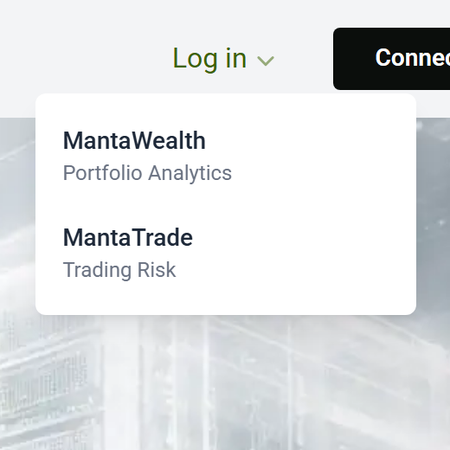
- From the Log in menu at the top of the MantaRisk website, choose MantaWealth and sign in with your email and password. No login yet? Contact us.
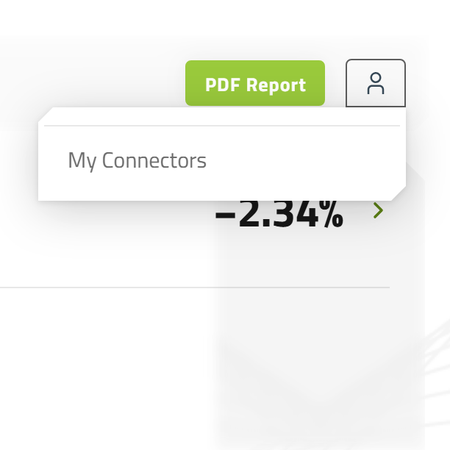
- Open the account menu (the person icon at the top right) and choose My Connectors. Only administrator logins see it.
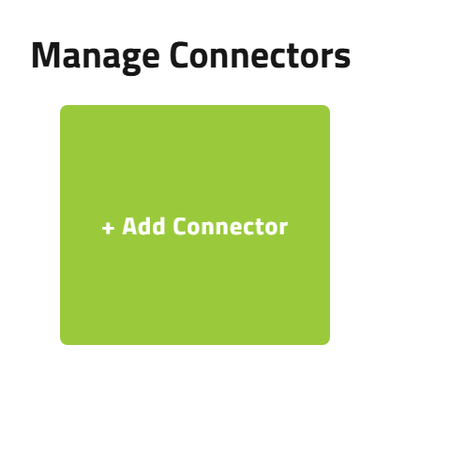
- Click + Add Connector.
- Under Choose an Account Type..., pick Addepar.
- Enter an Account Name of your choice, then the Firm ID, Firm Domain, Secret and Key.
- Click Add Account. MantaWealth checks the details with Addepar straight away and tells you if any are wrong.
 |  |  |
|---|
Each MantaWealth account can have one Addepar connector. The connection is read-only: MantaRisk cannot change anything in Addepar. Once saved, the key and secret cannot be read back by anyone, including you.
3. Load Your Portfolios
Your Addepar portfolios are loaded in MantaWealth's overnight update, which runs on working days, and are refreshed in every update after that. Depending on the number of portfolios and instruments, the first load can take several hours. Once loaded, the portfolios are listed on the All Portfolios page, where you can open any of them.

